Built for how cleaning and maintenance businesses actually run
Every module below is part of the same app — a customer, a job and an invoice are always connected, never three separate systems you have to keep in sync yourself. A handyman visit and a weekly clean go through exactly the same pipeline.
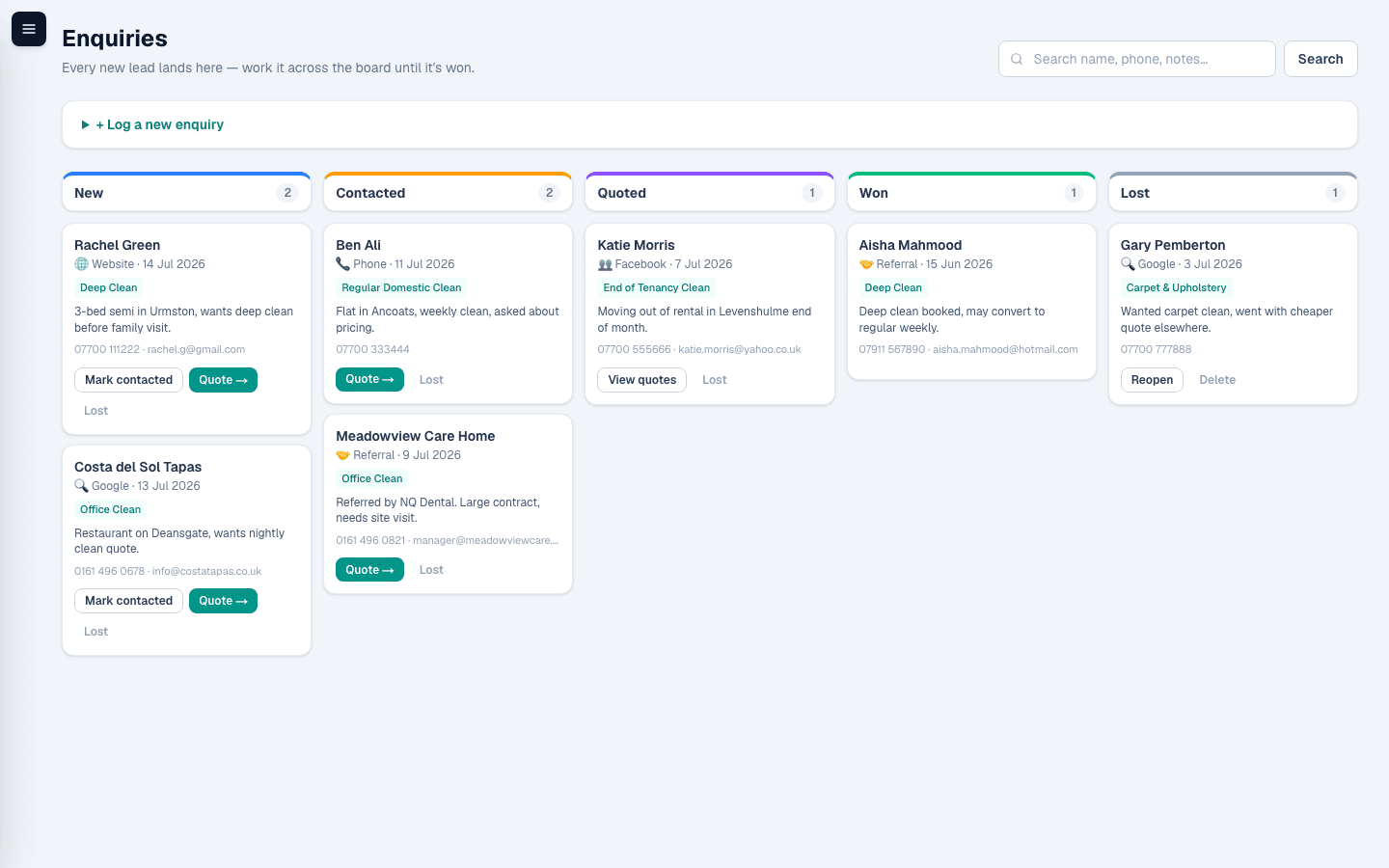
Every lead lands in one pipeline
New enquiries — from the phone, a form, a walk-in — go straight into a board you can see at a glance, instead of scattered across texts and sticky notes. Cleaning or maintenance, it's the same pipeline.
- New → Contacted → Quoted → Won/Lost pipeline
- One click to turn an enquiry into a quote
- Nothing goes cold because nobody remembered to follow up
Quote in minutes, not a spreadsheet
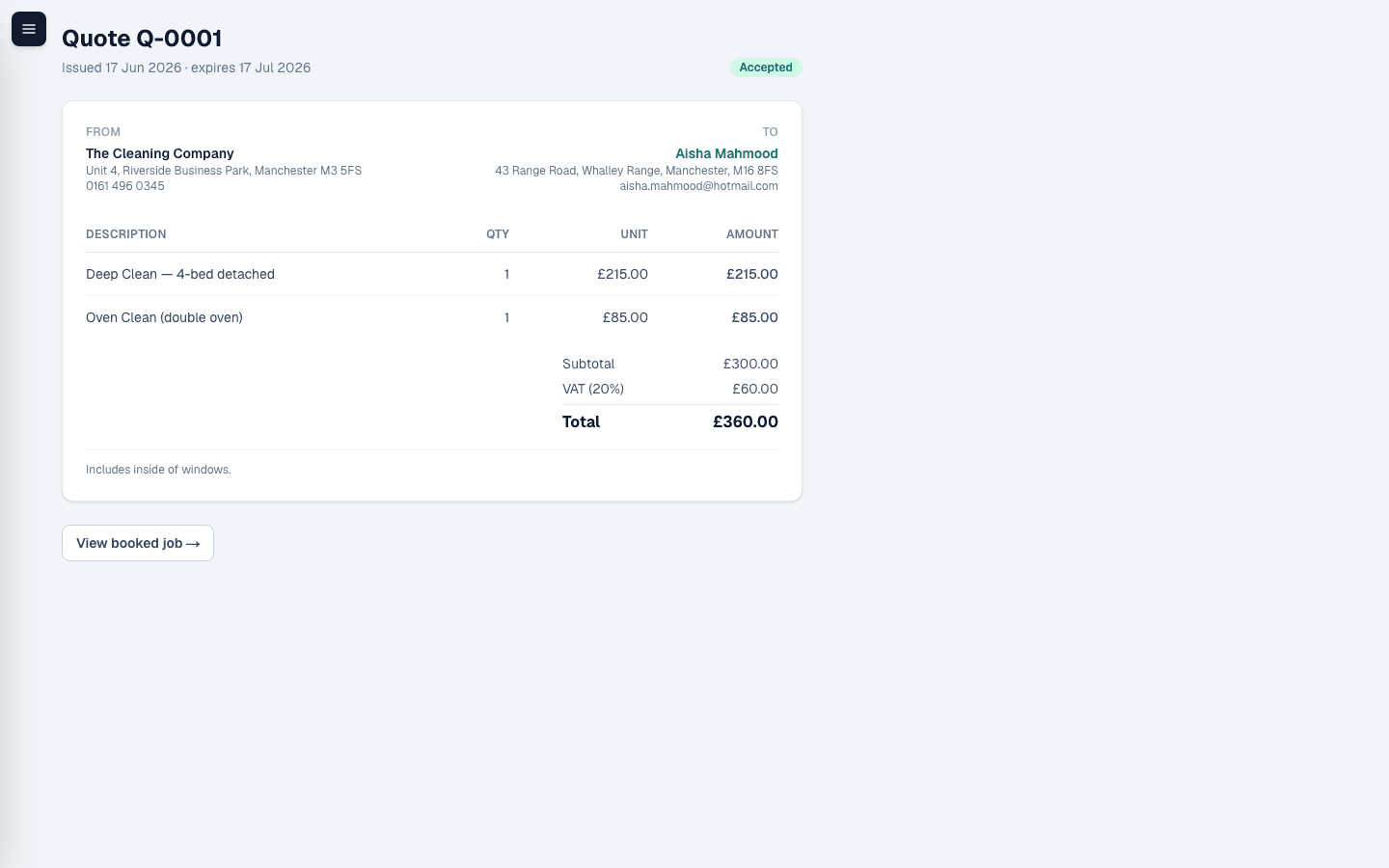
Build a quote from your own price list, with tax calculated automatically at your own rate, and turn an accepted quote straight into a booked job — no re-typing. Cleaning and maintenance items sit in the same list, grouped so they're easy to find.
- Reusable price list, line items, automatic tax
- Accept & book job in one step
- Track sent, accepted and declined at a glance
One customer, every site, exactly what each one needs
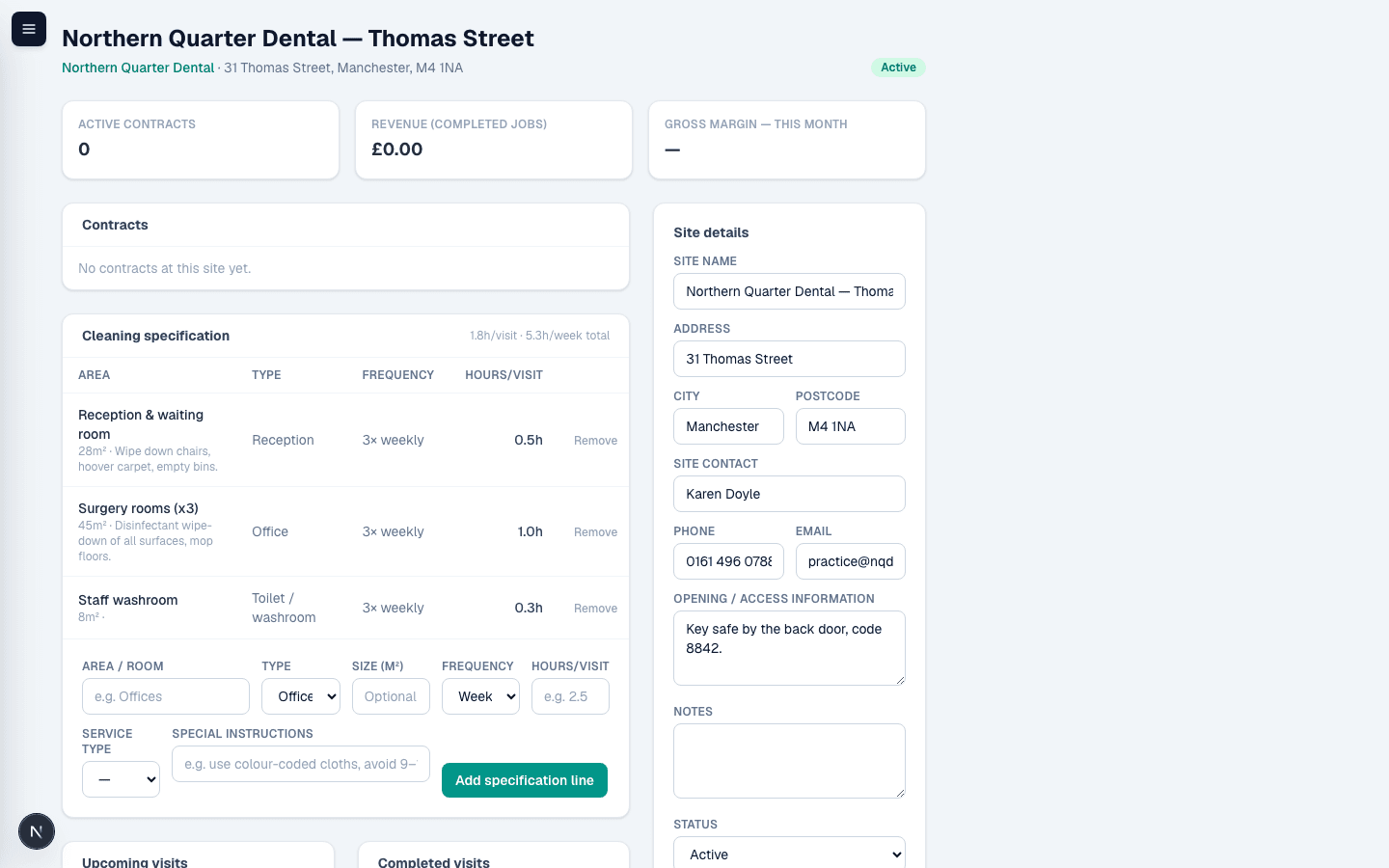
A commercial customer isn't one address — it's a head office, three branches and a warehouse, each with its own access details and its own idea of what "clean" means. Give each site a room-by-room cleaning specification once, and it's there for whoever quotes or works the job next, without a phone call to check.
- Unlimited sites per customer, each with its own contact and access info
- Room-by-room specification — area, size, frequency, hours per visit
- Reference for quoting and planning — never silently overrides a price you've set
Set up a recurring contract once — the visits book themselves
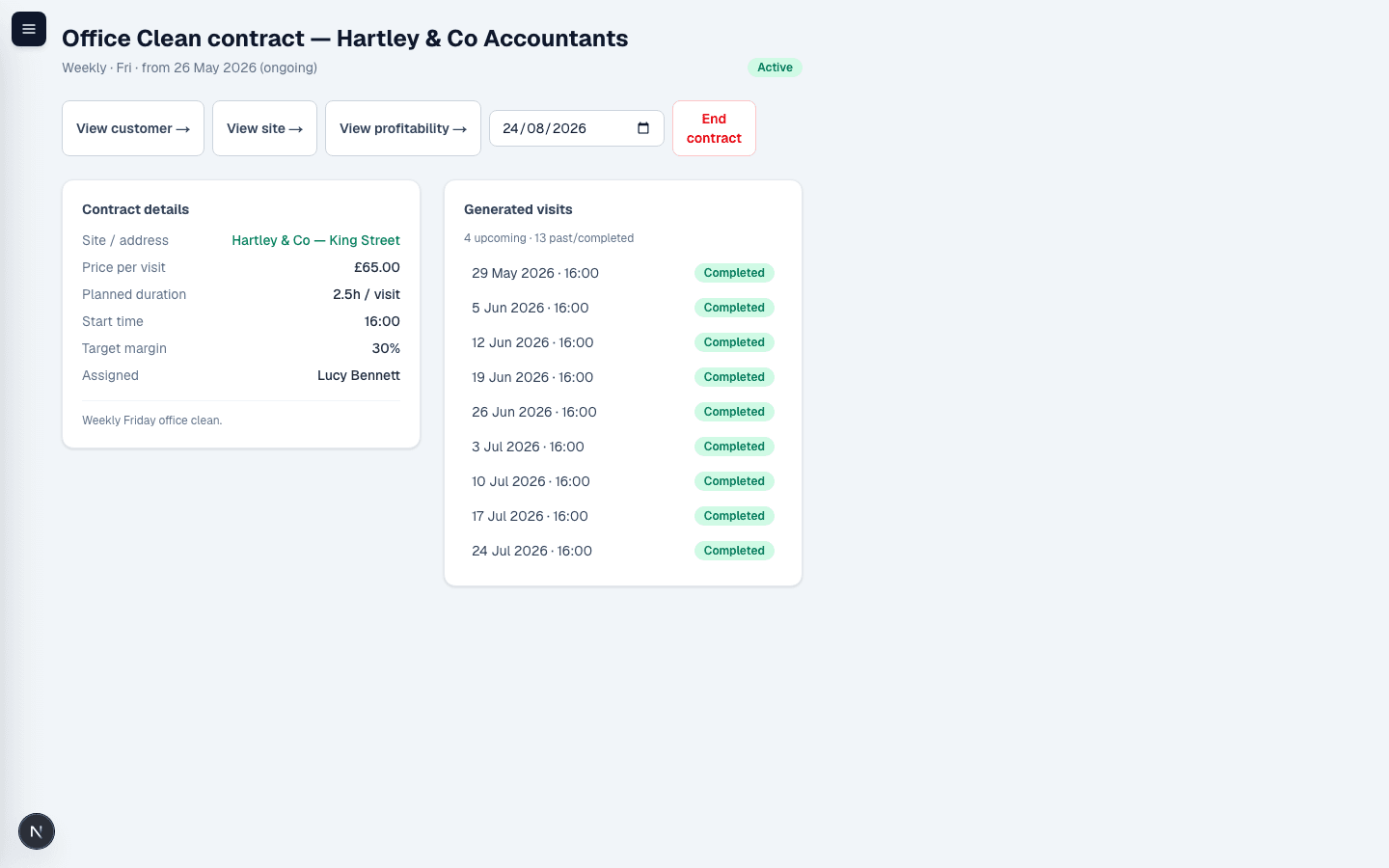
Turn an accepted commercial quote into a standing contract — days of the week, a site, a crew — and every visit for months ahead is already on the calendar. Pull the planned hours straight from that site's cleaning specification instead of guessing, and end the contract later without touching the visits that already happened.
- Weekly, fortnightly or 4-weekly, tied to a specific site and crew
- Planned hours pulled straight from the site's cleaning specification
- Ending a contract cancels what's ahead, keeps the completed history intact
Know who's where, every day
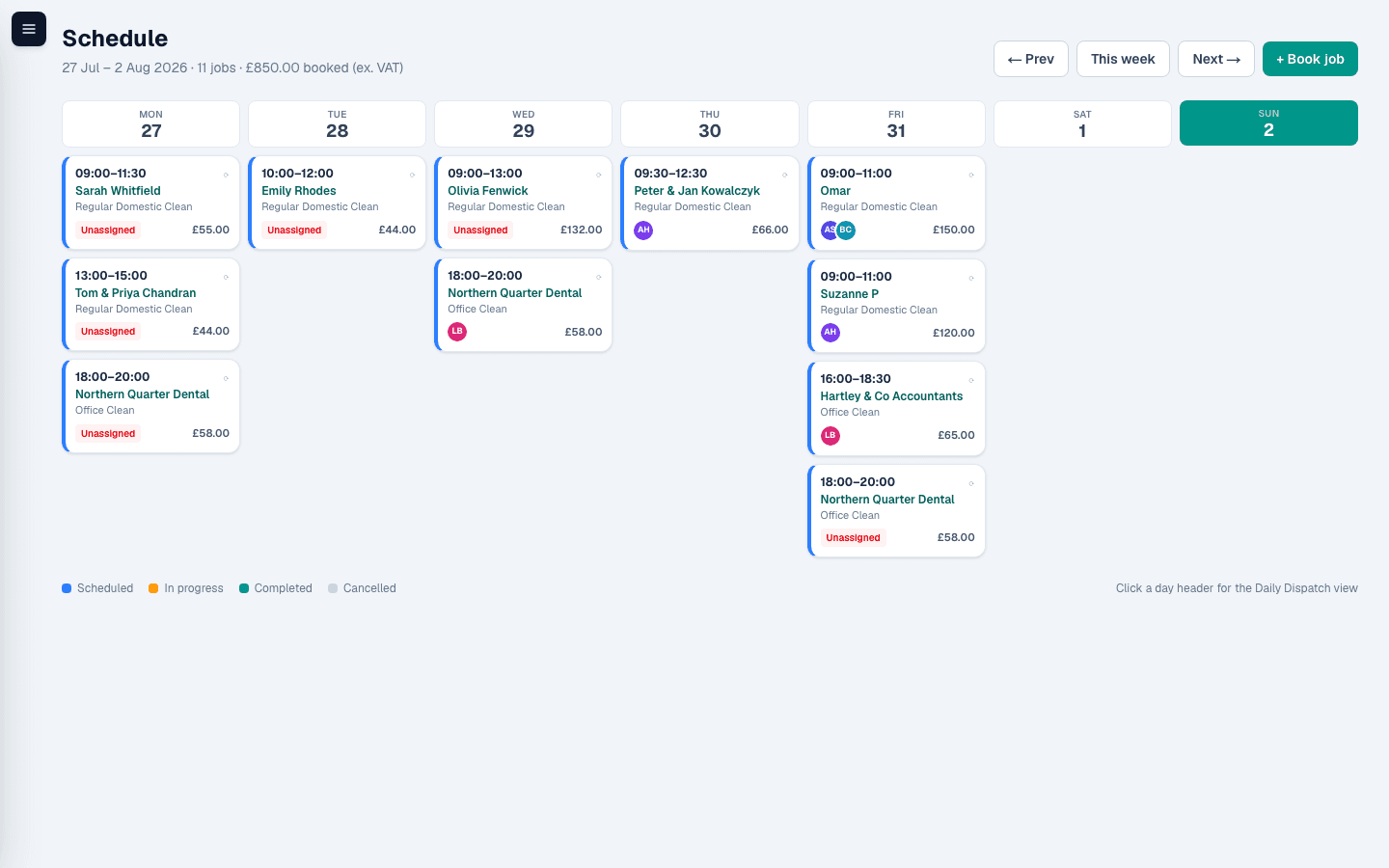
A week calendar with recurring jobs generated automatically, so a weekly clean doesn't need re-booking every week — set it once and it's on the calendar for months. One-off visits and full commercial contracts sit on exactly the same calendar.
- Weekly, fortnightly and 4-weekly recurring jobs
- See every team's week at a glance
- Book, reschedule or cancel a single visit without touching the series
Reassign a team by dragging a card, not rebuilding a plan
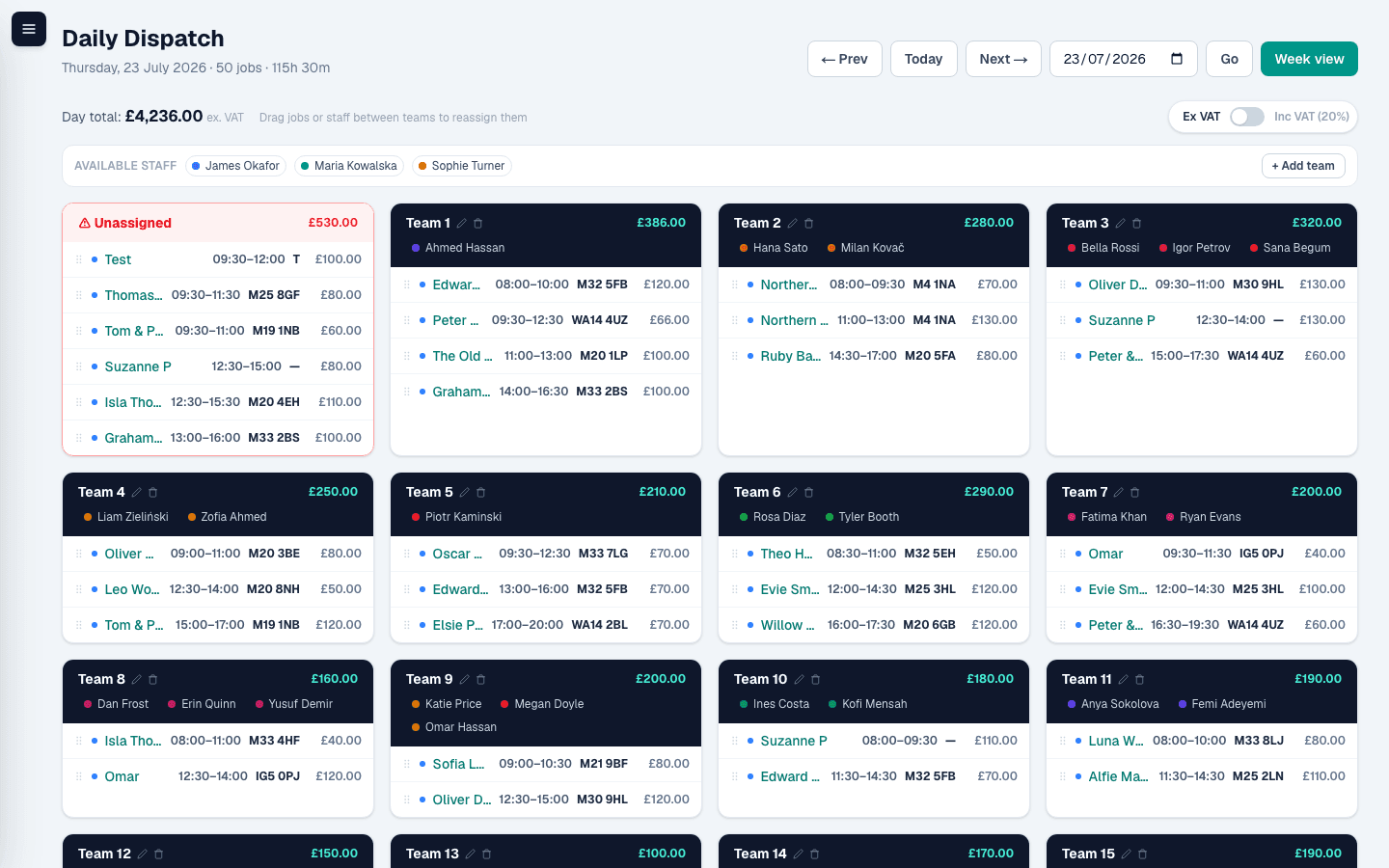
The daily dispatch board is where the morning actually happens — every team's jobs laid out side by side, and a change of plan is just a drag, not a rebuild. Handyman and maintenance visits sit right alongside cleans, with a skill tag on each staff member so it's obvious who's qualified for what.
- Drag jobs or whole staff members between teams to reassign instantly
- Drag someone onto empty space to spin up a brand-new team on the spot
- Staff tagged as cleaning, maintenance or both — visible right on the board
- Day totals update live as you move things around
Get paid without the chasing
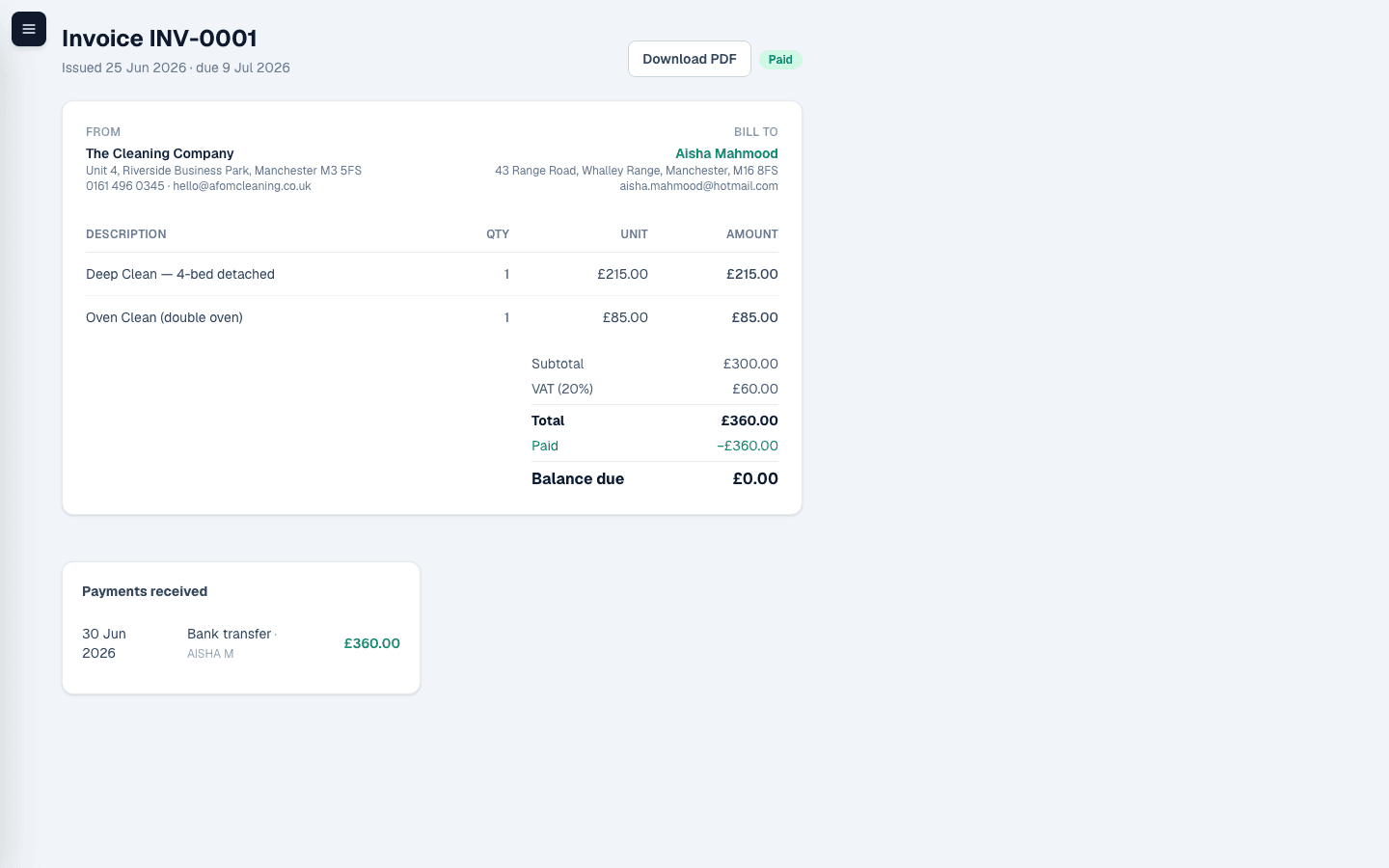
Card payments are end-to-end through your own connected Stripe account — charge the customer right there in Oskli, or send them a payment link to pay from their phone. Either way, the invoice updates itself the moment it's paid.
- Charge a card directly in Oskli, or send a payment link — same connected Stripe account, your choice
- Cards saved automatically for repeat customers, charged with no redirect next time
- Bank transfer and cash recorded just as easily, invoice marked paid the moment either lands
See which contracts are actually making you money
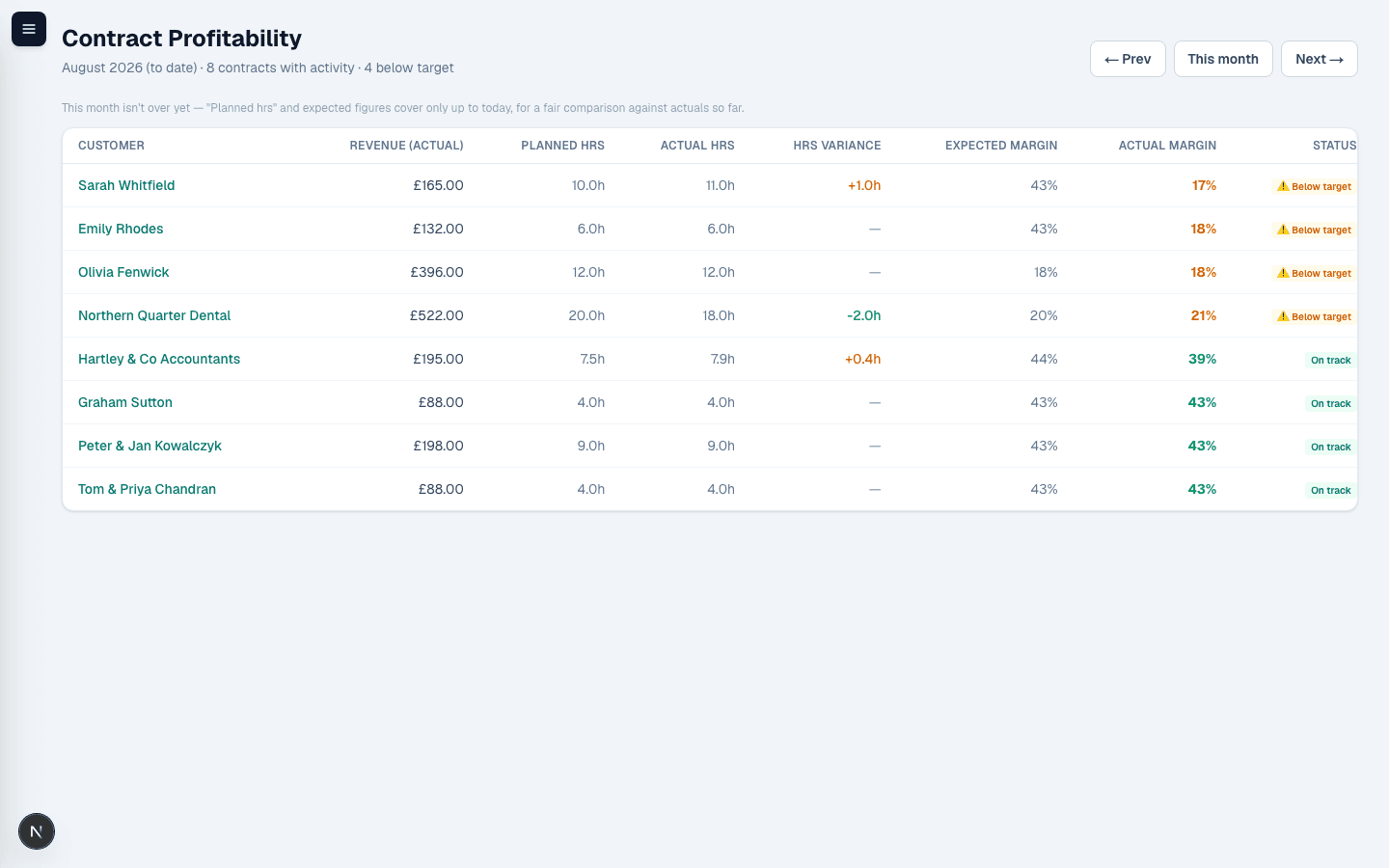
Every visit records planned hours against what the crew actually logged, so a contract that's quietly running over — or padded with consumables the quote never priced in — shows up in red before it's cost you a full year, not after.
- Planned vs. actual hours and margin, per contract, per site and portfolio-wide
- A target margin you set once, flagged the moment actuals fall short
- Add a note against any job to explain a one-off overrun — the number stays honest, the context isn't lost
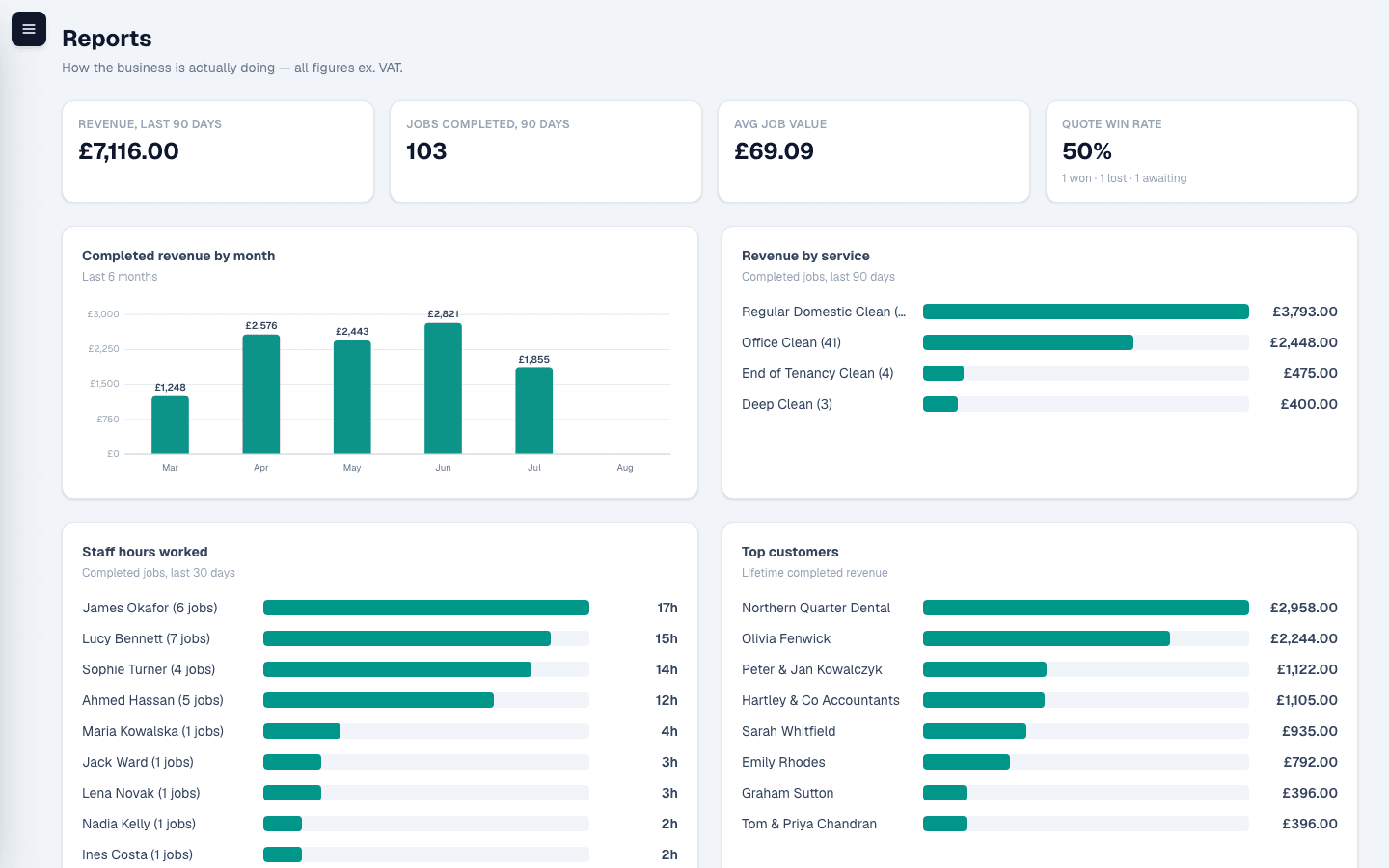
See the business, not just the jobs
Revenue by month, by service and by category — cleaning vs. maintenance — plus quote win rate, staff hours and your best customers. The numbers you'd otherwise have to build yourself.
- Revenue and overdue-invoice tracking
- Cleaning vs. maintenance revenue split, so you know what's actually growing
- Quote win rate and lead-source performance
- Staff workload across the last 30 days